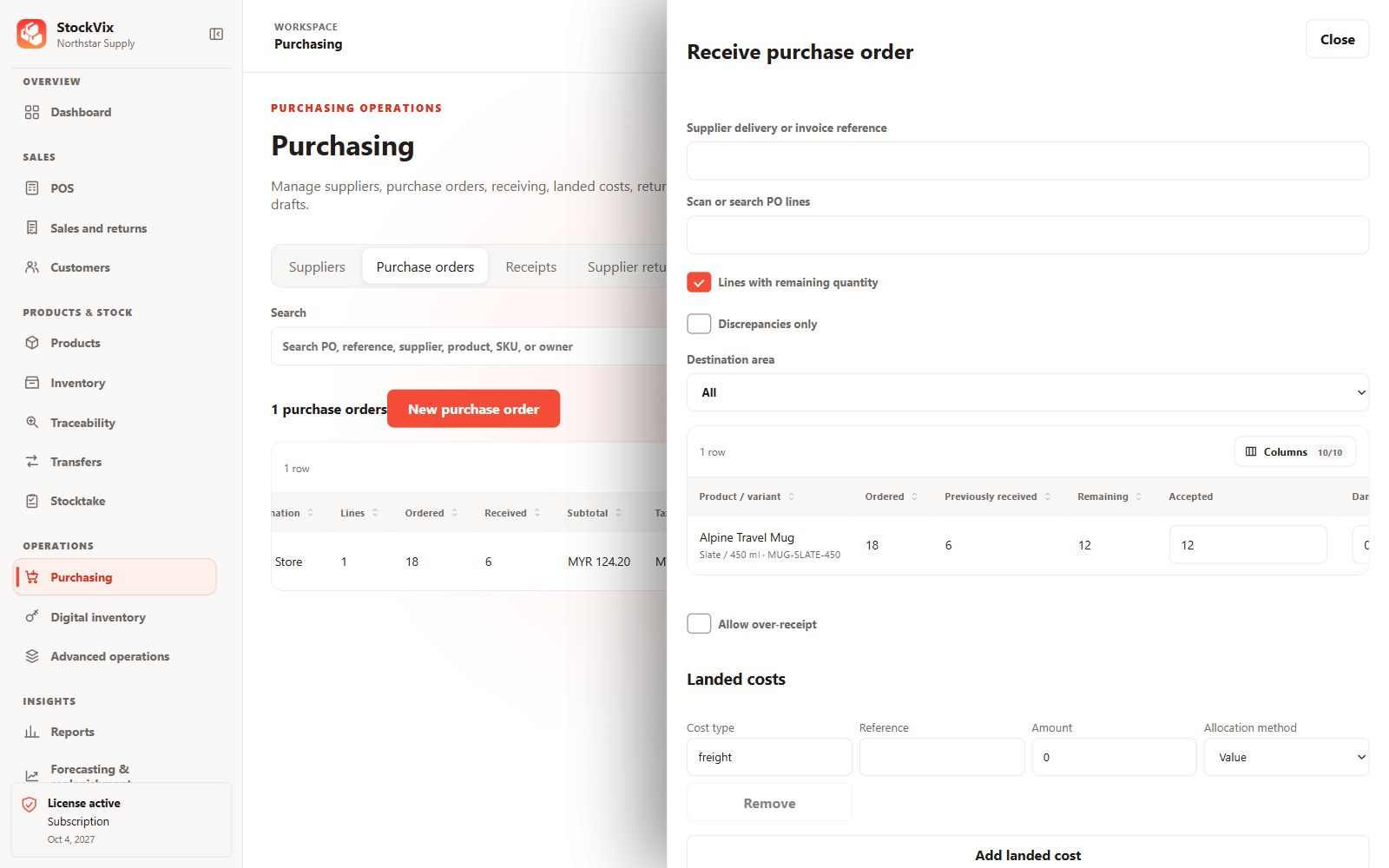
Prepare the receipt
- Open the approved purchase and start a goods receipt.
- Choose the receiving stock area and enter the quantities actually delivered.
- Enter required lot, serial or expiry information and check cost and tax details.
Review exceptions
Investigate damaged goods, shortages or unexpected quantities before posting. Use a suitable quarantine area where needed, rather than making questionable stock available for sale.
Post and reconcile
Post only after review. Confirm the receipt’s state, updated received quantity on the purchase and resulting Inventory balance. A saved draft has no posted receipt effect.
If the response is uncertain
Reopen the purchase and receipt and inspect their saved states before retrying. Do not repeat the receipt just because the first view did not immediately refresh.