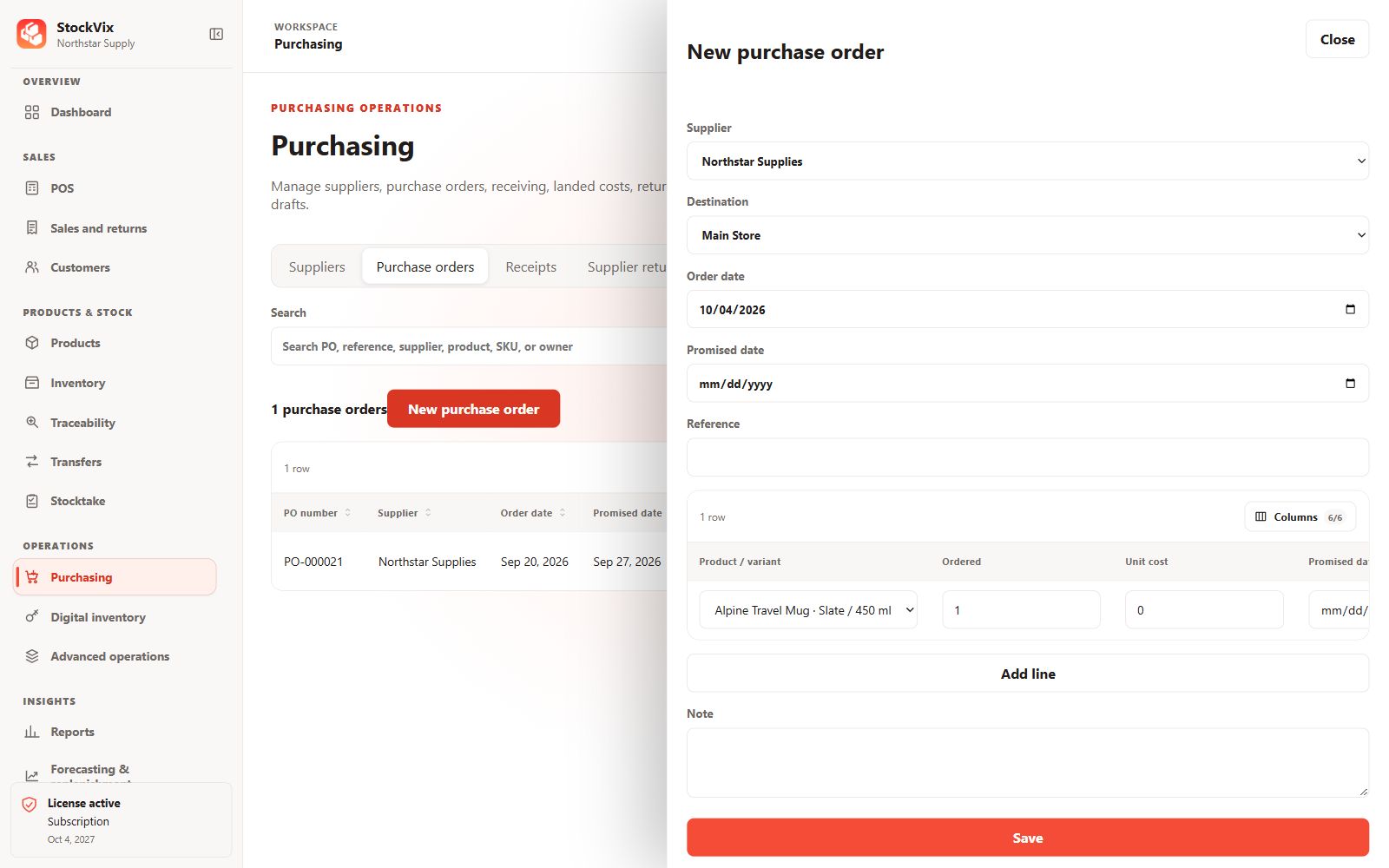
Create the draft
- Open Purchase orders and choose a supplier and receiving location.
- Add product variants, quantities, unit costs and applicable taxes.
- Review totals, references and notes, then save the draft.
Review and approve
Confirm the supplier, units, currency, stock destination and expected total. Obtain approval using an authorized account. Approval alone is not a receipt and does not mean an order or payment was sent to an external supplier.
Track progress
Use the order’s saved detail and state to review what remains to receive. Partial receiving and later receipts must refer to the intended order lines.
Next step
When goods actually arrive, record a goods receipt and required tracking details. Do not create opening stock by directly changing the order quantity or inventory balance.